Free account, 7 days of Pro, no card
Video to Link
Upload a video and get a link that plays it in the browser. Send it in a message; the other person taps it and watches, on a phone or a computer.
- Free account
- Plays on any phone
- No app needed
Videos are big, so upload them with a free account.
A new account gets Pro free for 7 days, no card, with 5 GB of storage.
Create a free accountOnly a short clip? Try it here without an account:
Your video link
This link lasts about 15 minutes. Sign in to keep it: a new account gets Pro free for 7 days, no card.
This video is over 2 MB.
Most videos are. A minute of phone video is often 50 to 150 MB. Create an account and upload it there. A new account gets Pro free for 7 days, no card. After that, the Free plan holds 5 MB and Starter ($8 a month) holds 500 MB.
Create a free account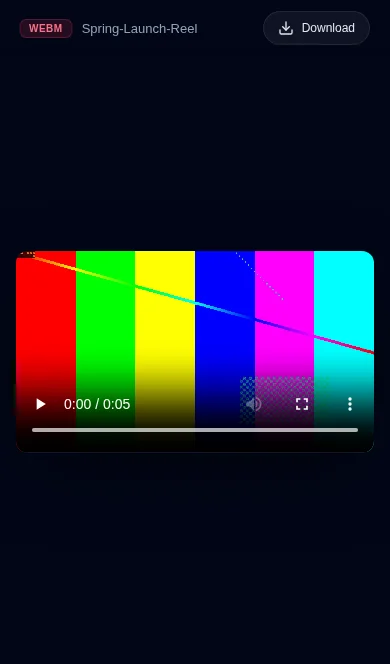
How it works
How to turn a video into a link
- 1
Create a free account
Sign in with Google or an email code. You get Pro free for 7 days, no card.
- 2
Upload your video
Create a project and drop the file in. An MP4 with H.264 plays everywhere.
- 3
Copy the link
Paste it in a message or an email. It opens a player in the browser.
Ideas
What people send as a video link
A finished cut for a client
Send one link instead of a heavy attachment or a shared folder.
A product or app demo
Show it working, on any phone, without asking anyone to install anything.
A screen recording
Walk someone through a change and send the link in the same message.
A reel or a showreel
Put your best work behind one link you can paste anywhere.
Plans
How much video fits
This page, no account
About 15 minutes
Up to 2 MB
A few seconds of video. Enough to see the player.
Free account, first 7 days
Pro, free
5 GB of storage
No card. Enough for long videos at full quality.
Starter, $8 a month
Doesn't expire
500 MB of storage
No badge, a password, and more projects.
After the 7 days, Free keeps one project online while it's opened at least once every 90 days, and takes new uploads up to 5 MB. Prices and limits as of October 2026. See all plans
Send an MP4 with H.264
Litehost doesn't convert your video. The person watching plays the file you uploaded, so its format decides whether it plays. An MP4 with H.264 plays in current phone and computer browsers. ProRes, and HEVC (what an iPhone records on "High Efficiency"), can show an empty player instead.
On an iPhone, set Settings > Camera > Formats to "Most Compatible" before you record, or export the video as H.264 from your editor.
FAQ
Common questions
Is it free to turn a video into a link?
Yes. A new account gets Pro free for 7 days, no card, with 5 GB of storage. After that, the Free plan keeps one project online while it's opened at least once every 90 days, takes new uploads up to 5 MB and shows a small Litehost badge. Starter ($8 a month) holds 500 MB. Without an account you can try a clip of up to 2 MB on this page; that link lasts about 15 minutes.
Why does my video show an empty player?
Litehost doesn't convert your file: the viewer's browser plays it as you uploaded it. Some formats, like ProRes or HEVC (the iPhone's 'High Efficiency' setting), don't play in every browser and show an empty player. Export an MP4 with H.264 video and it plays in current phone and computer browsers.
What does the person who opens the link see?
A player page with the video, play controls, full screen and a Download button. It opens in the browser, so they don't need an app or an account.
Which formats can I upload?
MP4, MOV, WebM, M4V, MKV, AVI and other common video files. MP4 with H.264 is the safest choice for the person watching.
Is this a direct link to the MP4 file?
No. The link opens a player page made for people to watch and download. If you need a raw file address to embed in another site or an app, this tool isn't built for that.
Can people download the video?
Yes, with the Download button, and they get the original file. On Pro you can hide the button.
Free tools
More free tools
- PDF to Link Upload a PDF and get a link that opens it on any phone or computer. Open tool
- PDF to QR Code Upload a PDF and download a QR code that opens it, ready to print. Open tool
- Upload HTML Upload an HTML file and get a link that opens it as a page on any phone. Open tool
- MP3 to Link Upload an audio file and get a link that plays it on any phone or computer. Open tool
- Image to QR Code Upload a photo or a JPG and download a QR code that opens it, ready to print. Open tool
- Resume Link Upload your PDF resume and get a link to share. Update it later, keep the link. Open tool
- Video to QR Code Upload a video and download a QR code that plays it on any phone. Open tool
- NewMP3 to QR Code Upload an audio file and download a QR code that plays it, ready to print. Open tool
Turn your video into a link
Create a free account, upload the video, send the link.
Create a free account